Search
Click the magnifying glass icon in the top-right corner of the menu bar to open the search.
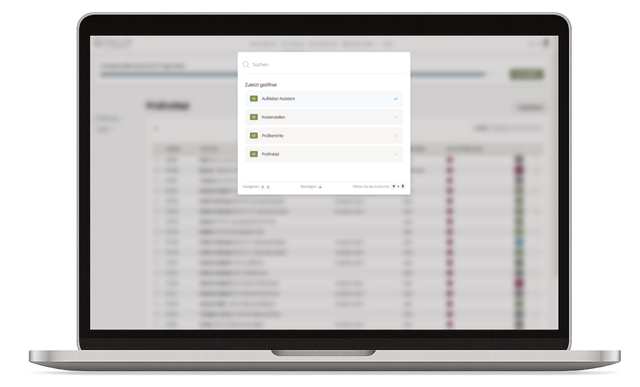
Fig. 1: Search dialog
Use the global search to look for inspection equipment, users, or cost centers. The best matches appear in a list view.
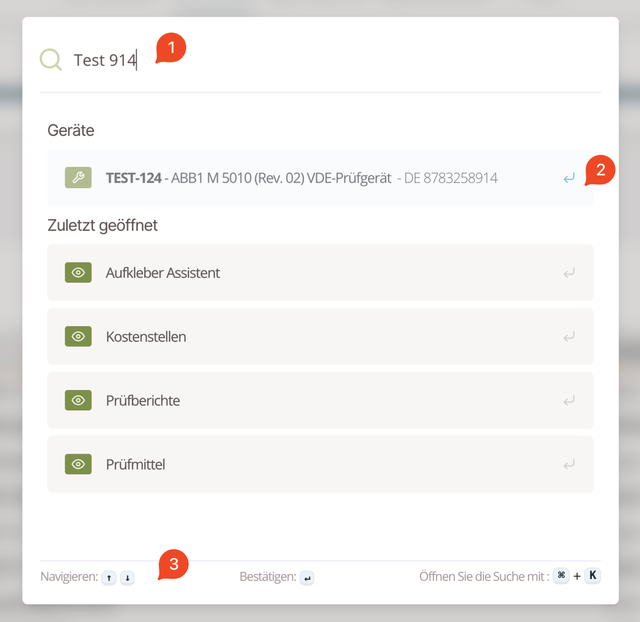
Fig. 2: Search results As soon as you type (1), the search suggests potential results (2). Results are grouped by type. Navigate the list with the arrow keys (↑/↓) (3).
Search via Barcode Scanner
The content of the DataMatrix codes on your inspection equipment labels can be entered directly into the search bar. This way you immediately find the matching inspection equipment.
The codes are typically structured as follows: prefix ma followed by four characters (lowercase letters and numbers), e.g., ma54ds or ma7x2k.
With a standard barcode scanner (USB or wireless with keyboard interface) it works like this:
- Open the Memida search (click the magnifying glass icon or use the keyboard shortcut).
- Scan the DataMatrix code on the inspection equipment label.
- The scanner automatically enters the code content into the search (1).
- The inspection equipment is displayed directly.
Useful when you are working from a device's master data sheet and want to quickly access the corresponding inspection equipment in Memida.
Ideal for stationary workstations in laboratories, workshops, or goods receiving.
Search within lists
Every list in Memida also has a search field in the top-right corner. It searches only within the currently displayed list.
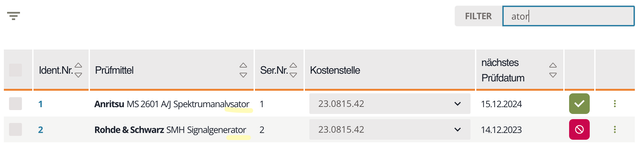
Fig. 3: Search within lists