Memida handbook
A comprehensive yet clear handbook that explains the wide range of features that Memida provides.
Your starting point with Memida
If you are new to Memida, we recommend starting with the dashboard. Then continue with the next chapters.
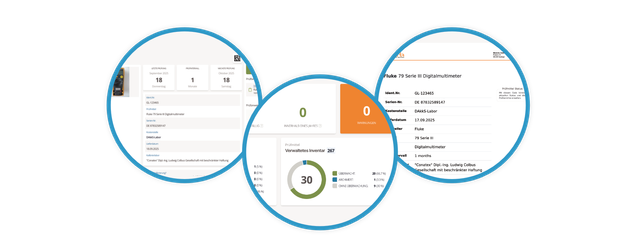
Web application
These chapters explain how to use Memida in your browser.
📄️ Dashboard
Evaluate due dates, metrics, notices, required actions, and unread inspection equipment changes on the dashboard
🗃️ Inspection equipment
7 items
📄️ Inspection instructions
Add inspection instructions with calibration procedures, additional fields, and documents to individual items of inspection equipment and maintain them in the inspection equipment record.
🗃️ Inspection reports
1 item
🗃️ Calibration certificate
2 items
📄️ Reporting
Time-period reporting for due dates, escalations, and quality metrics
📄️ Cost centers
Manage your cost centers here
📄️ User management
Manage your users here
📄️ User profile
Maintain your account data
📄️ Additional fields
Add custom fields for inspection equipment, inspection reports, and inspection instructions, and define input types, required values, and selection options.
🗃️ Master data
9 items
📄️ Sticker assistant
Design custom labels
📄️ Search
Find everything in Memida
📄️ Usage
Tips for working with Memida
📄️ Login
Sign in to Memida
🗃️ Integrations
3 items
🗃️ Data Export
3 items
Smartphone and desktop apps
The Memida App accompanies you wherever your inspection equipment is used. Memida Signing lets you seal and verify digital calibration certificates on your computer. The following guides cover both apps.
🗃️ Memida App
4 items
🗃️ Memida Signing
8 items